Warudo Hand Animation Blending
Dollars SAYA can automatically switch between motion capture and preset animations in Warudo based on hand visibility.
This is one possible implementation. If you have a better approach, we'd love to hear from you. Please feel free to reach out to us.
Prerequisites
- Dollars SAYA is connected to Warudo via VMC protocol.
1. Download the Custom Node Script
Download DollarsMoCapHandFallbackNode.cs from the Dollars MoCap website and place it in Warudo's Playground folder:
<Warudo Install Directory>/Warudo_Data/StreamingAssets/Playground/DollarsMoCapHandFallbackNode.cs
In Warudo, click Menu → Open Data Folder. The Playground folder is inside the opened directory.
Warudo will automatically compile and load the script. Once compiled, you will find the node under the DollarsMoCap category in the blueprint node list.
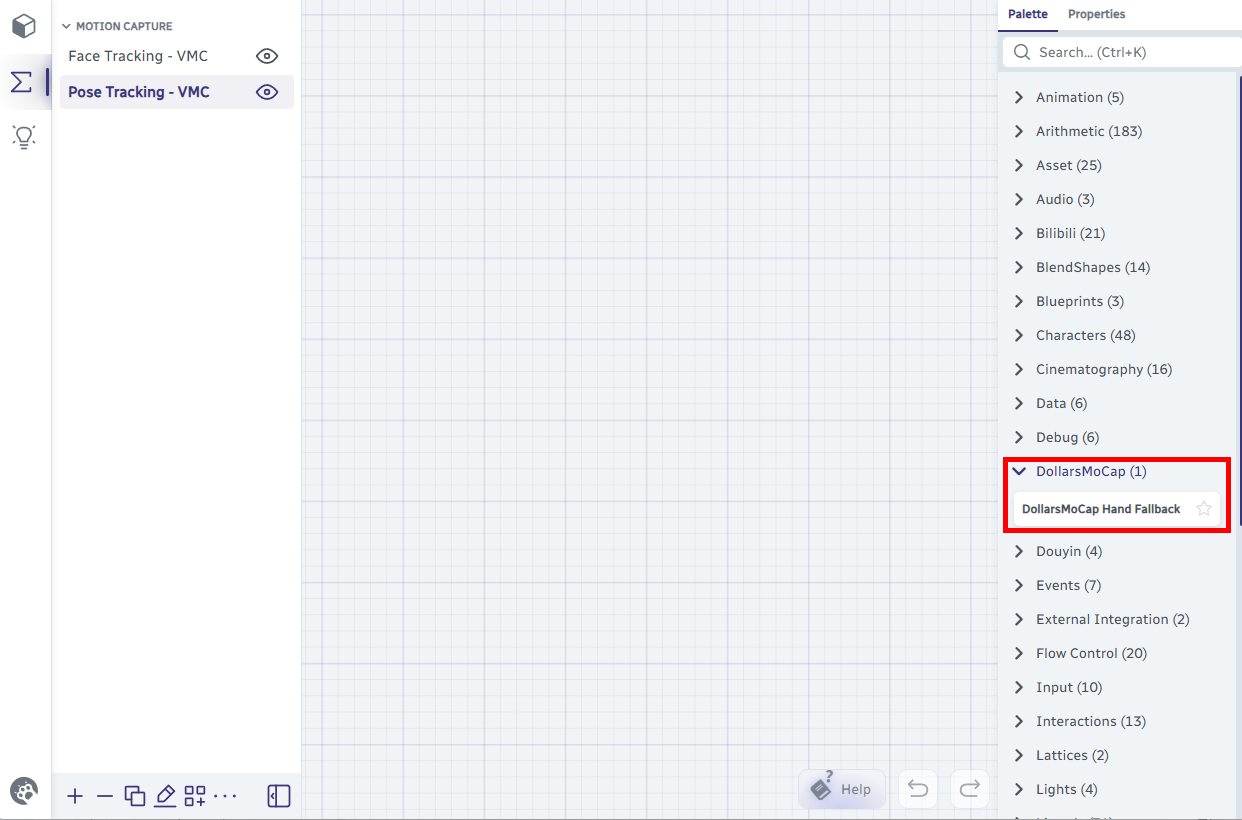
2. Modify the VMC Tracking Blueprint
Open the VMC Pose Tracking blueprint in Warudo and locate the Switch Float List and Override Character Bone Rotations nodes.
First, disconnect the wire between Output Float List and Bone Rotation Weights.
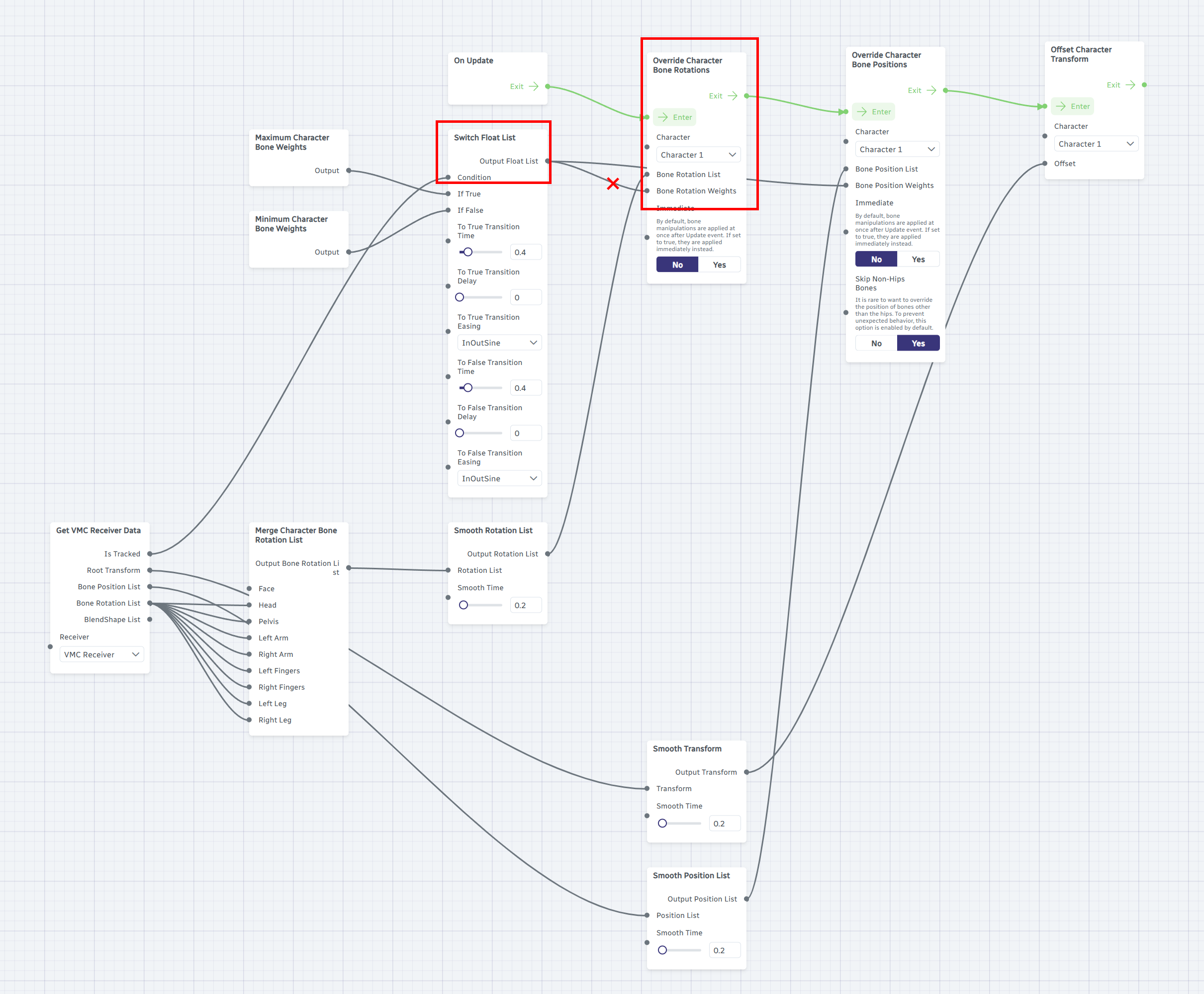
Then insert the DollarsMoCap Hand Fallback node between them and connect as shown below.
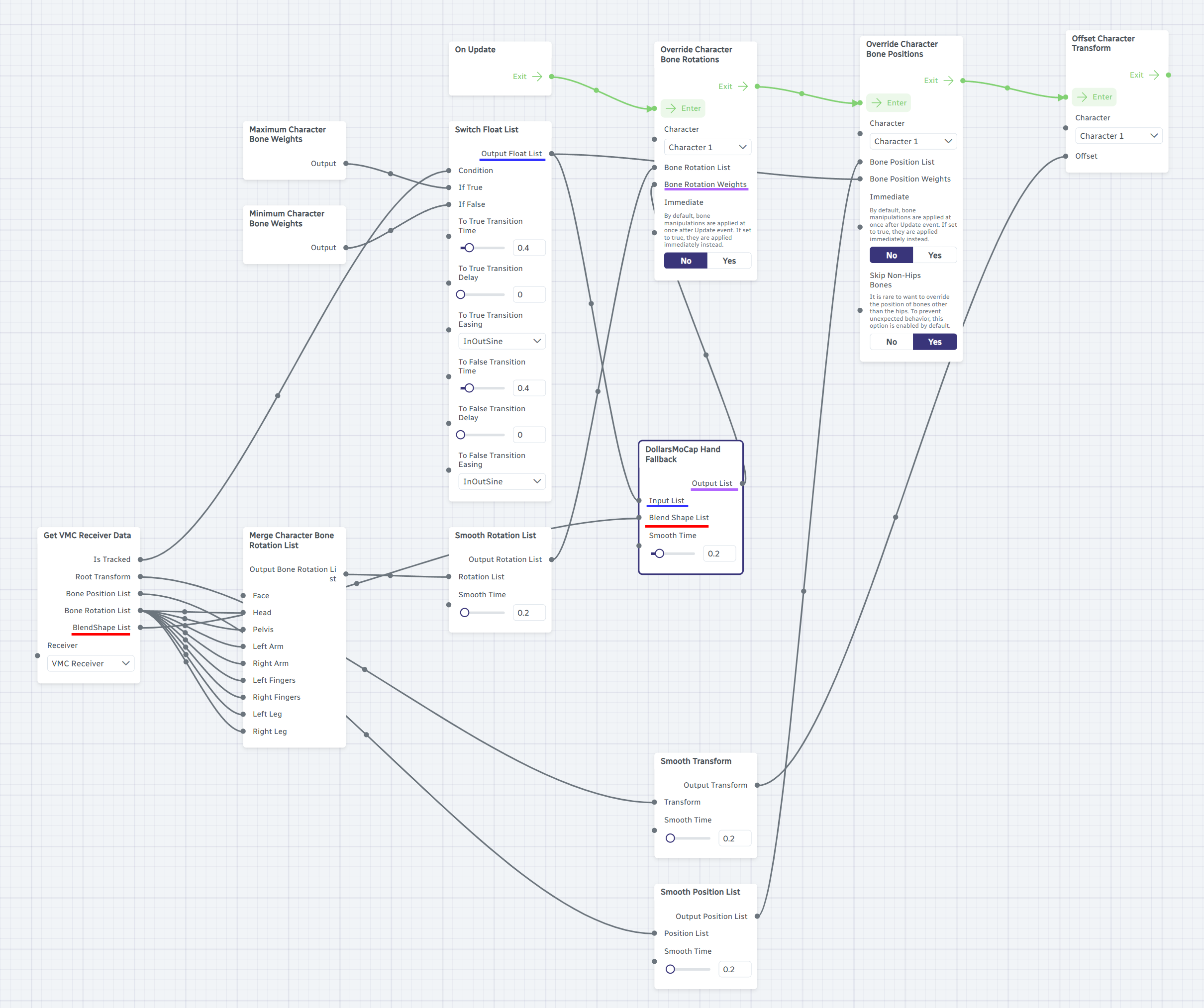
The completed data flow:
| Port | Connected From |
|---|---|
| DollarsMoCap Hand Fallback → Input List | Switch Float List → Output Float List |
| DollarsMoCap Hand Fallback → Blend Shape List | Get VMC Receiver Data → BlendShape List |
| Override Character Bone Rotations → Bone Rotation Weights | DollarsMoCap Hand Fallback → Output List |
Adjust Smoothing
The DollarsMoCap Hand Fallback node has a Smooth Time slider (default 0.2) that controls how smoothly the transition occurs between motion capture and preset animations.
Tips
- When your hands are relaxed, make sure they are outside the camera frame. If they hover at the edge, the character's hands may get stuck in an in-between state, neither fully following motion capture nor fully in the preset animation.
- Choose a preset animation where the hands are in a lower position. Since hands typically leave the frame from the bottom during motion capture, this makes the transition more natural.