Measure Upper Arm Span
The latest version of SAYA has removed the upper arm span measurement. It is replaced by Load VRM, which solves motion directly based on your model's bone proportions.
This page only applies to older versions.
Purpose of Measurement
Because the body proportions of your final character may differ from those of our motion capture reference model, poses where the hands come close together, such as a prayer pose, may result in the hands appearing too far apart or intersecting. Setting an appropriate upper arm span can help reduce these issues.
In real time motion capture, actions that involve physical contact between body parts, such as clasping the hands, remain technically challenging and may not be reproduced perfectly in all cases.
How to Measure
Before starting the measurement, please make sure SAYA has been synchronized with your model, as the process relies on observing the model’s pose.
Click the button at the bottom of the program to start the measurement.
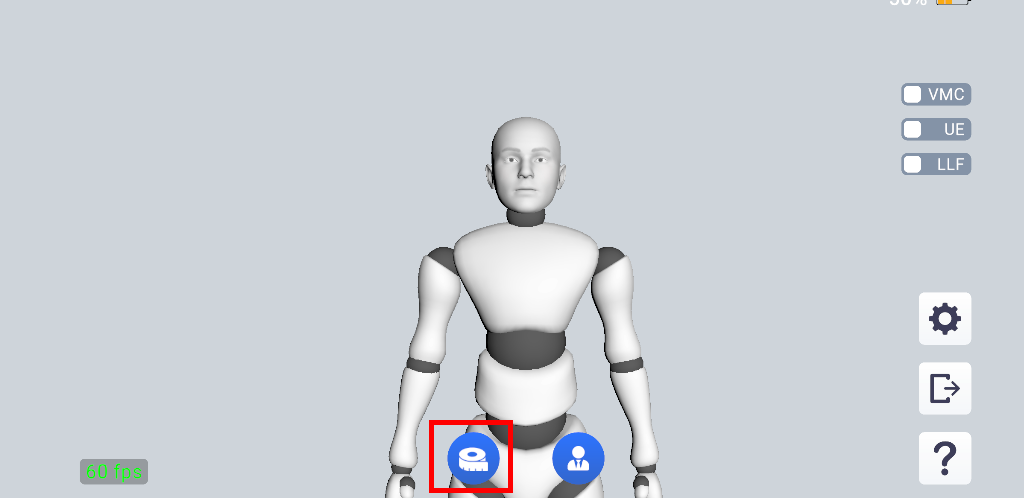
During the measurement, bring your fingertips close together in front of your chest. Avoid pressing your hands tightly together, as this may confuse the tracking and affect accuracy.
Once the measurement starts, the program will automatically adjust the upper arm span continuously. Watch your model closely, and when the wrists just touch, nod your head to confirm.
Alternatively, you may note the span value displayed on screen at the moment the wrists touch and enter this value manually in the settings.
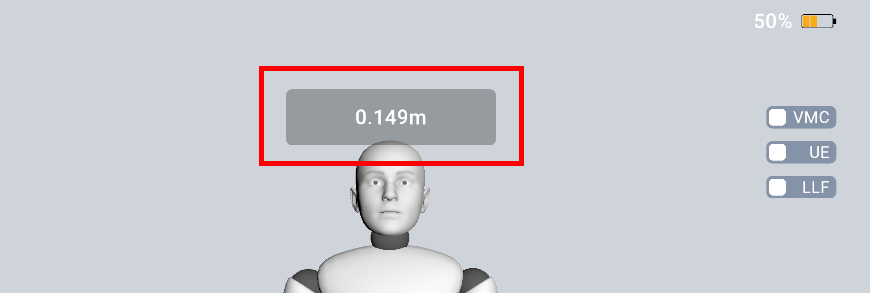
You can cancel the measurement at any time by clicking the same button again.
After completing the measurement, you may further fine tune the upper arm span if needed to achieve better results.
Measurement Demo Video
The following video demonstrates the upper arm span measurement process.